Last updated November 4, 2026
SMS Program Terms
Program name: Briva Health Account Verification and Two-Factor Authentication (2FA).
Program operator: ICONICTEK, 1000 E 146th St, Burnsville, MN 55337, through its product Briva Health (brivahealth.net). Messages are sent as "Briva Health".
Use case: two-factor authentication. We send one-time passcodes (OTPs) only. We never send marketing, promotional or appointment reminder messages in this program.
1. How to opt in (consent)
You can opt in only on our website or in the Briva Health mobile app, and only when you ask for a code by text. There is no keyword, QR code, paper form or verbal opt-in. The three places are:
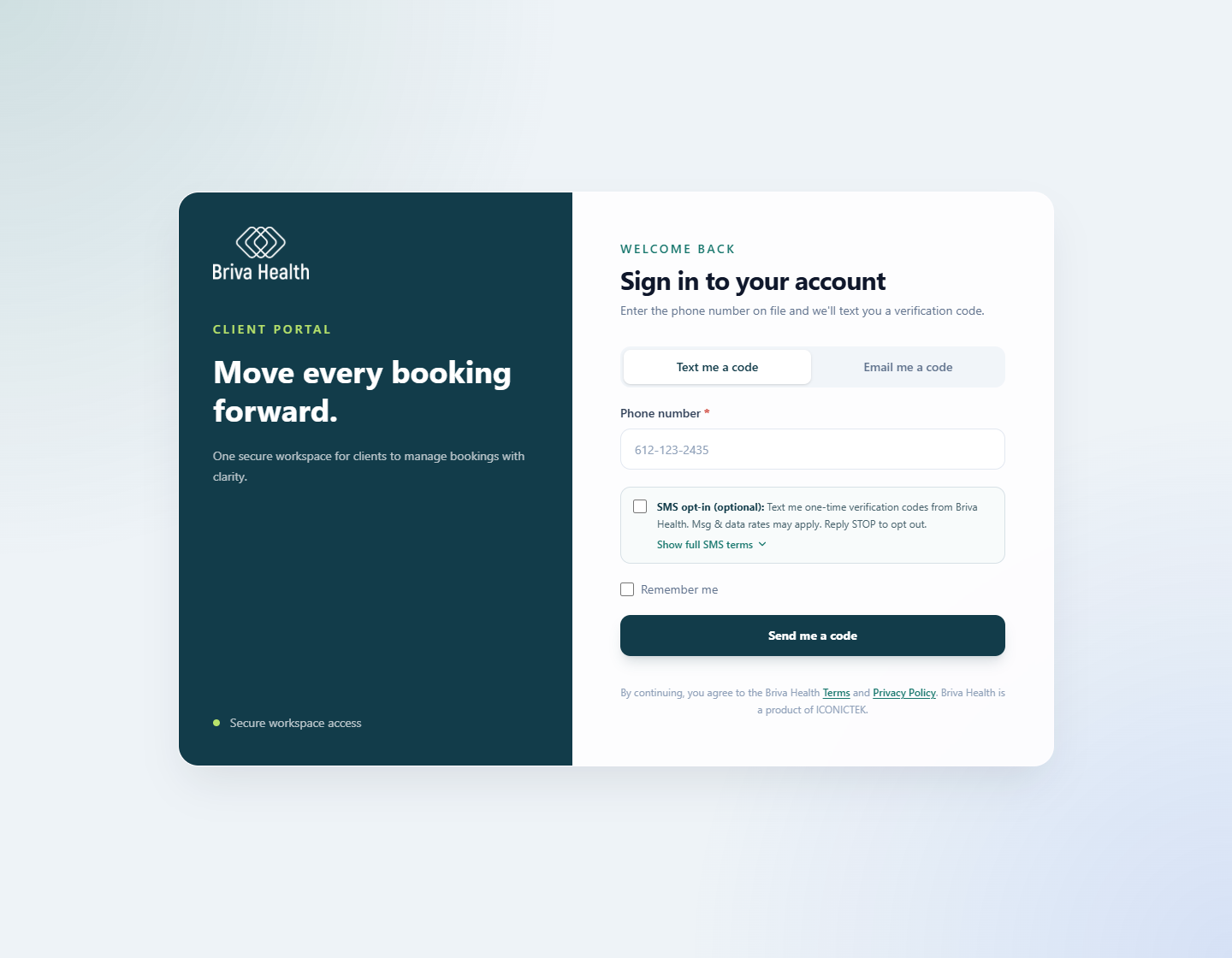
- Sign-in page: https://brivahealth.net/auth/login. The page opens on "Text me a code". Enter your mobile number in the "Phone number" field, check the SMS opt-in box, then press "Send me a code". You can choose "Email me a code" instead and no phone number is needed.
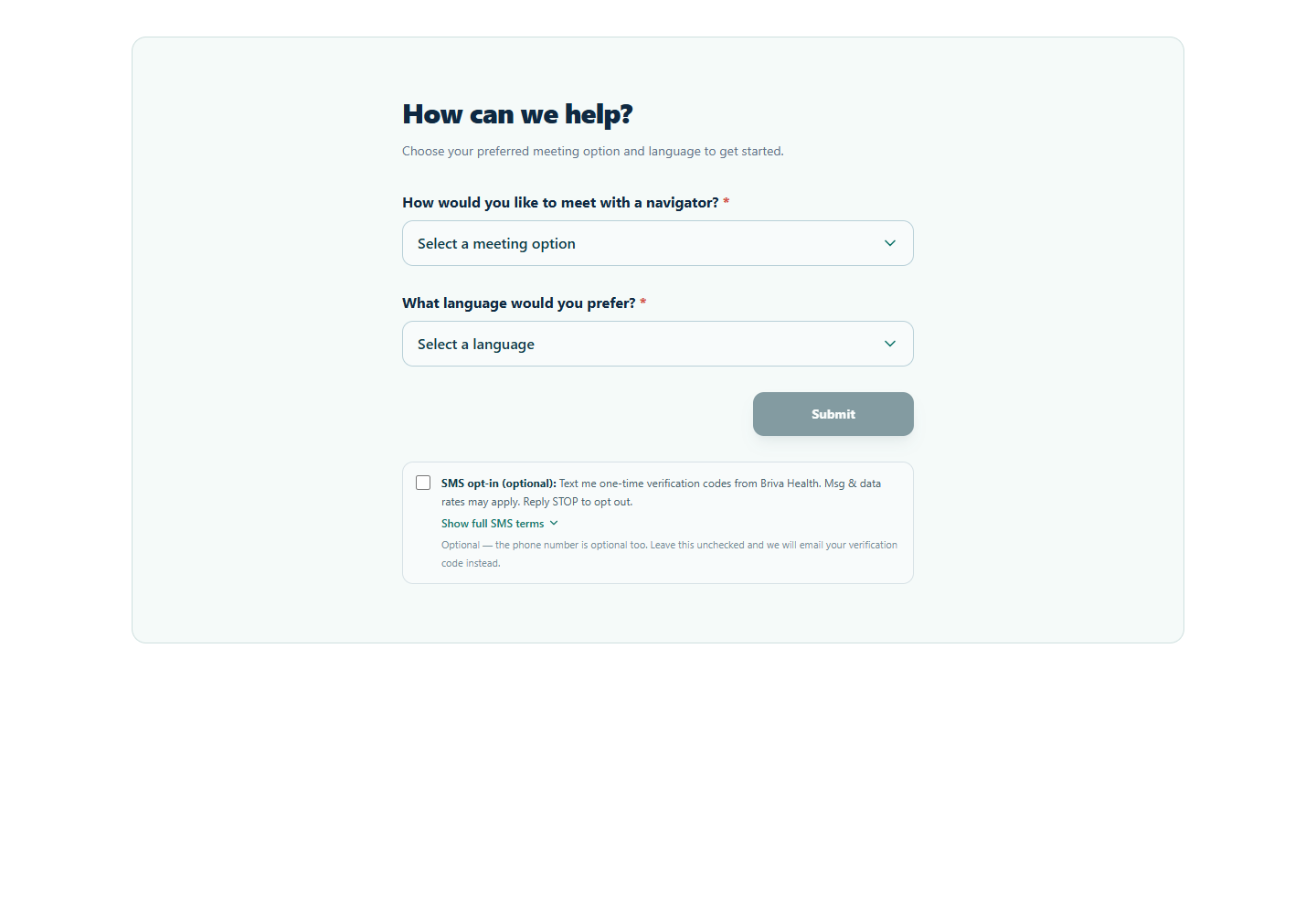
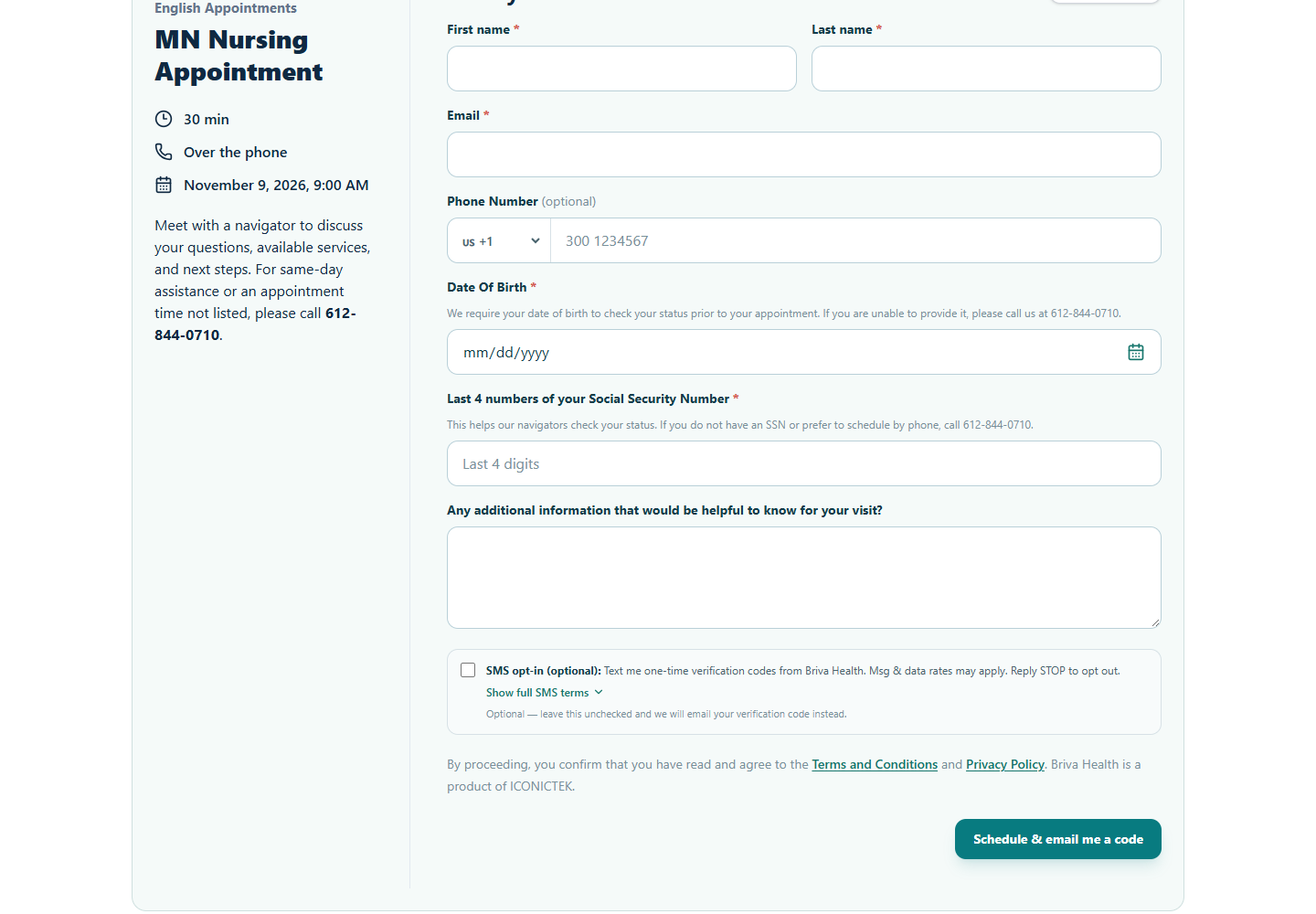
- Appointment booking page: https://brivahealth.net/make-appointment. Check the SMS opt-in box (shown on the first screen and again on the details screen), enter your mobile number in the "Phone Number (optional)" field, then press "Schedule & text me a code".
- Briva Health mobile app (sign-in screen): choose "Text me a code", enter your mobile number and tap "Send me a code". The consent notice below is shown directly under the button, and tapping the button after seeing it is your consent. You can choose "Email me a code" instead and no phone number is needed.
Entering a phone number alone does not constitute consent. On the website, if the box is not checked, no text message is sent and your code is delivered by email instead.
Consent language
Next to the checkbox: "SMS opt-in (optional): Text me one-time verification codes from Briva Health. Msg & data rates may apply. Reply STOP to opt out." The full consent text below opens with "Show full SMS terms", directly under the checkbox.
In the Briva Health mobile app, directly under the "Send me a code" button:
2. What messages you will receive
After you opt in and request a code, you receive one text containing a 6-digit one-time passcode. Examples:
- Briva Health: Your login code is 482915. It expires in 10 minutes. Do not share this code with anyone. Reply STOP to opt out.
- Briva Health: Your verification code is 739104. If you did not request this, ignore this message. Reply STOP to opt out.
3. Message frequency
Message frequency varies. You receive one message per code you request, typically one message per sign-in or booking request. We do not send recurring or scheduled messages.
4. Cost
Message and data rates may apply, depending on your mobile carrier plan. Briva Health does not charge for text messages.
5. How to opt out
Reply STOP to any message at any time. You will receive one confirmation text and no further messages. You can still sign in or book with a code sent by email, or call us. STOP, STOPALL, UNSUBSCRIBE, CANCEL, END and QUIT all work. To opt back in, reply START, then check the SMS opt-in box when you next ask for a code.
6. How to get help
Reply HELP to any message, email support@brivahealth.net, or call 612-844-0710 (Monday to Friday, 9am to 5pm).
7. Privacy
We do not sell, rent, or share mobile phone numbers or SMS opt-in consent information with third parties or affiliates for their own marketing or promotional purposes. Text messaging originator opt-in data and consent will not be shared with any third parties, except with our SMS delivery provider (Telnyx) solely to deliver the messages you request. See our Privacy Policy and the SMS section of our Terms and Conditions.
8. Carriers
Mobile carriers are not liable for delayed or undelivered messages. Supported carriers include all major US carriers.
9. Contact
ICONICTEK – Briva Health
1000 E 146th St, Burnsville, MN 55337
Phone: 612-844-0710
Email: support@brivahealth.net